FXBake Pro — Animation Effects Toolkit for Aseprite
A downloadable tool for Windows, macOS, Linux, and Android
 ⚡ Stop Animating Effects by Hand
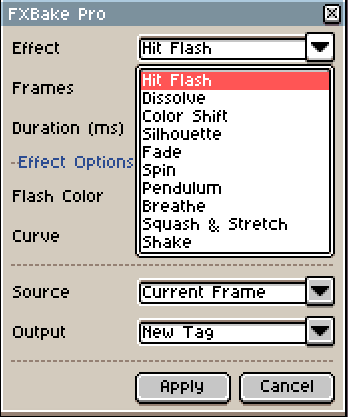
FXBake Pro bakes professional animation effects directly into your Aseprite frames — rotation, motion, color effects, transitions — all in one click. What used to take 30 minutes of careful frame-by-frame work now takes 3 seconds.
Pick an effect. Set the parameters. Hit Apply. Done. Your frames are ready.
✦ 10 Effects, Infinite Possibilities
🔄 MOTION EFFECTS
Spin
Full or partial rotation with seamless looping. Coins, gears, windmills, loading icons, floating pickups — anything that needs to rotate smoothly. Set the angle (15°–720°), pick an easing curve (Linear, Ease-Out, Ease-In-Out), toggle seamless loop, and you have a perfectly spinning animation in seconds.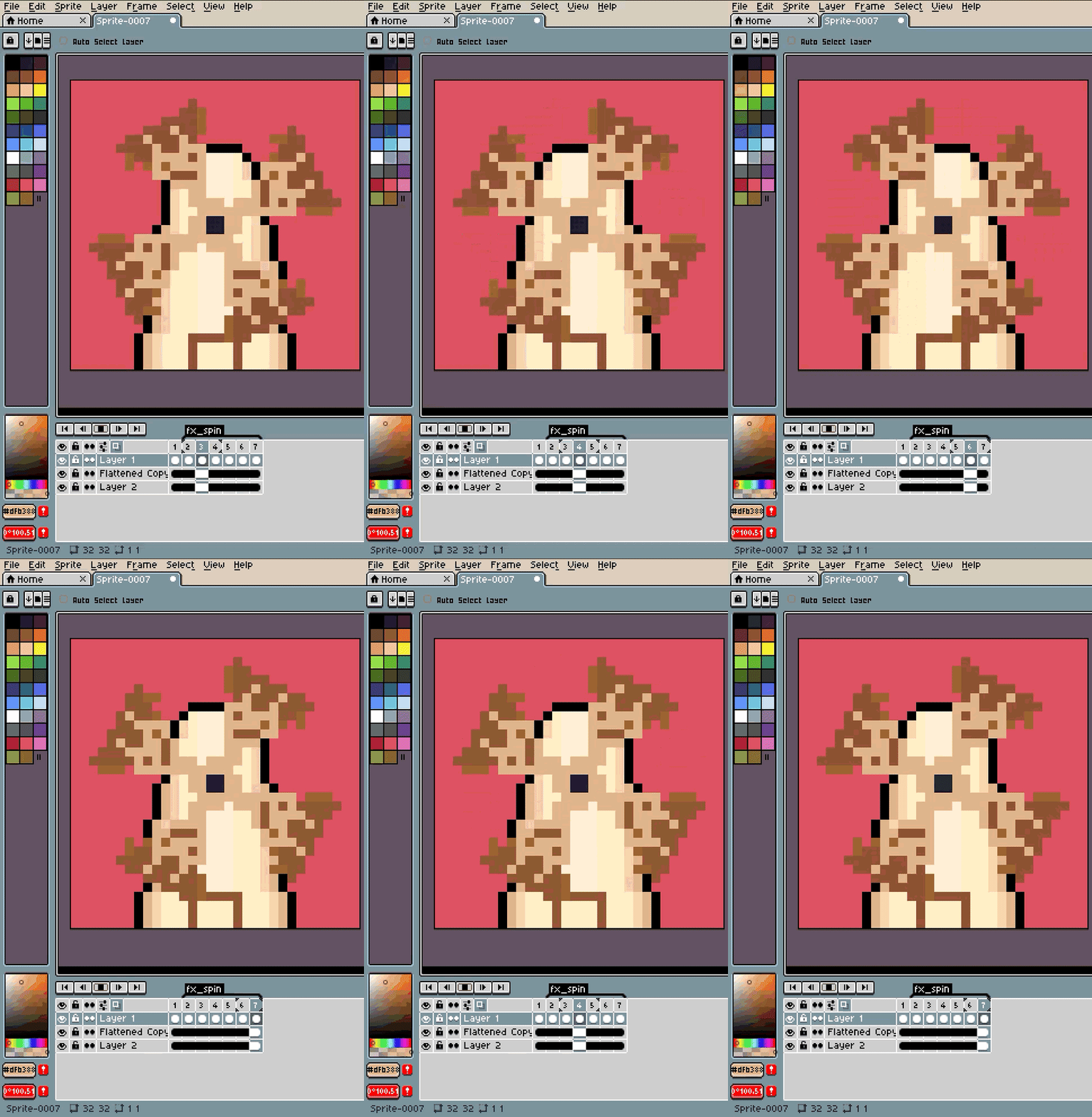
Pendulum
Swinging oscillation with configurable pivot point. Hanging lanterns, clock pendulums, chains, ropes, dangling keys, swaying signs — set the pivot to Top Center and it swings from the hook. 7 pivot presets (Top, Bottom, Left, Right, Center, corners). Adjustable angle and cycle count for gentle sways or wild swings.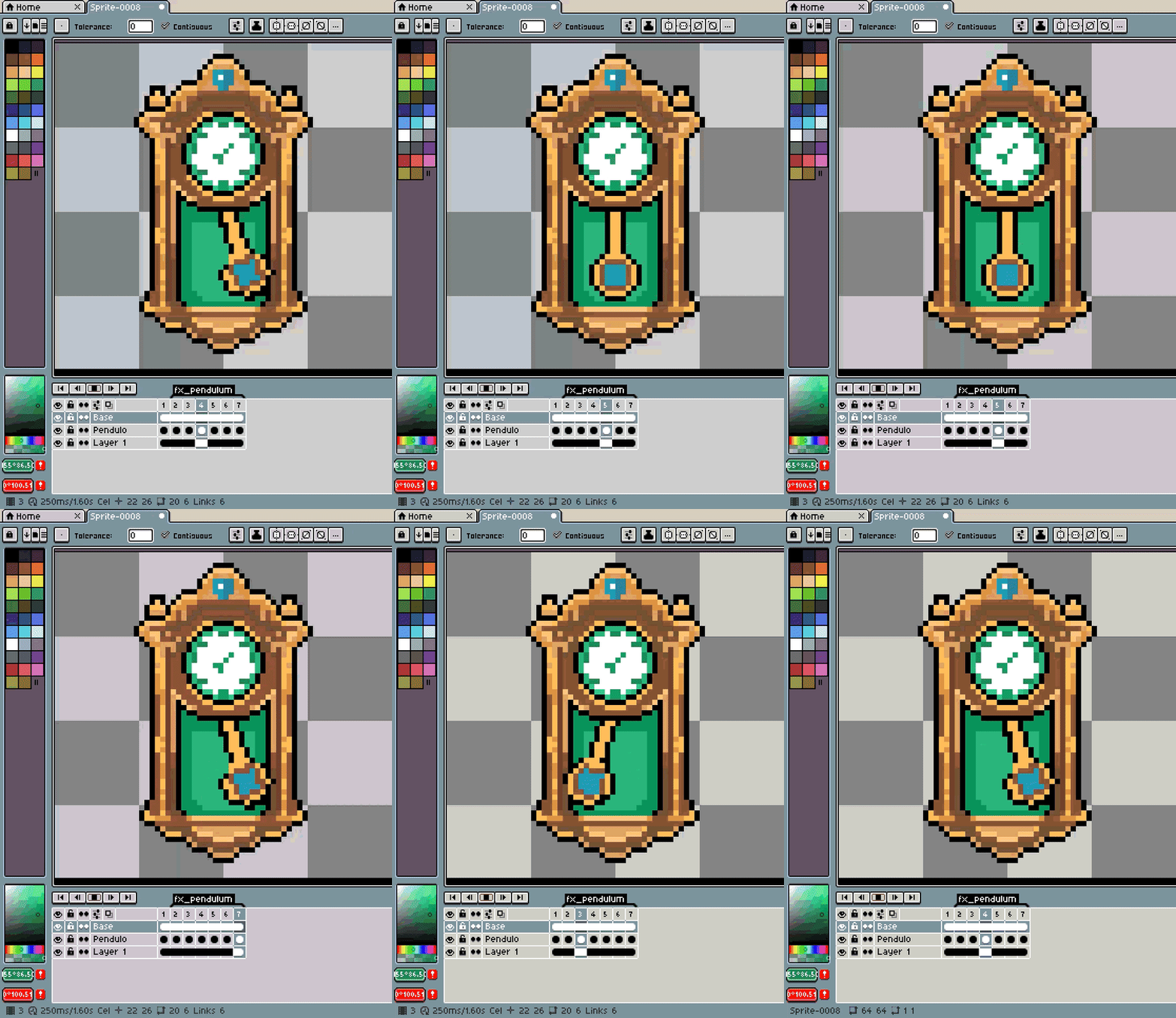
Breathe
Subtle scale pulsing that makes anything feel alive. Idle characters, glowing orbs, beating hearts, pulsing UI elements — a tiny 10–20% breathe cycle turns a static sprite into something that feels like it's waiting for the player. Adjustable amplitude and cycle count.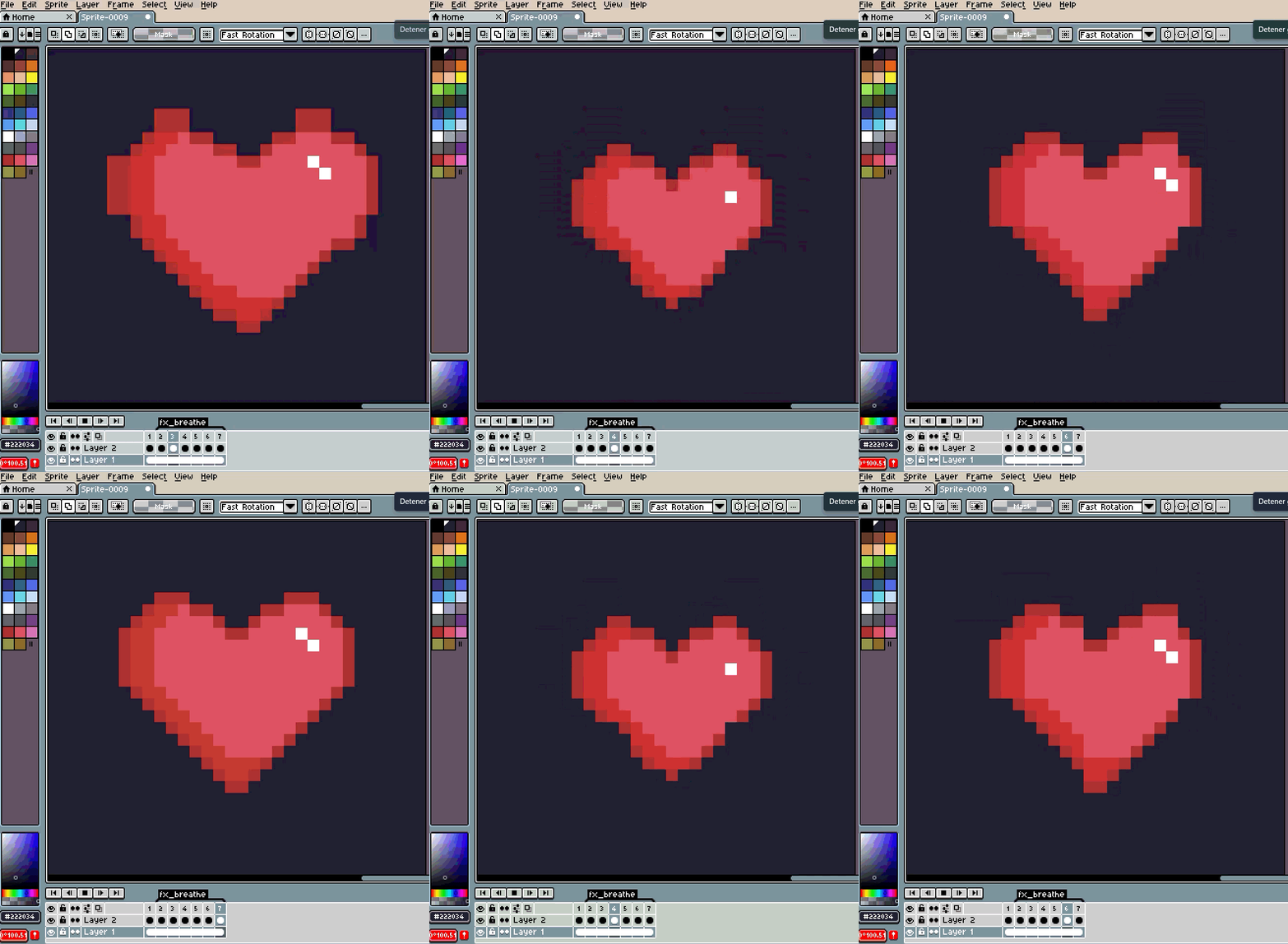
Squash & Stretch
The oldest animation principle, automated. Bouncing balls, landing impacts, jumping anticipation, squishy slimes — the sprite stretches tall and squashes wide while preserving its volume. The cartoon feel your sprites are missing.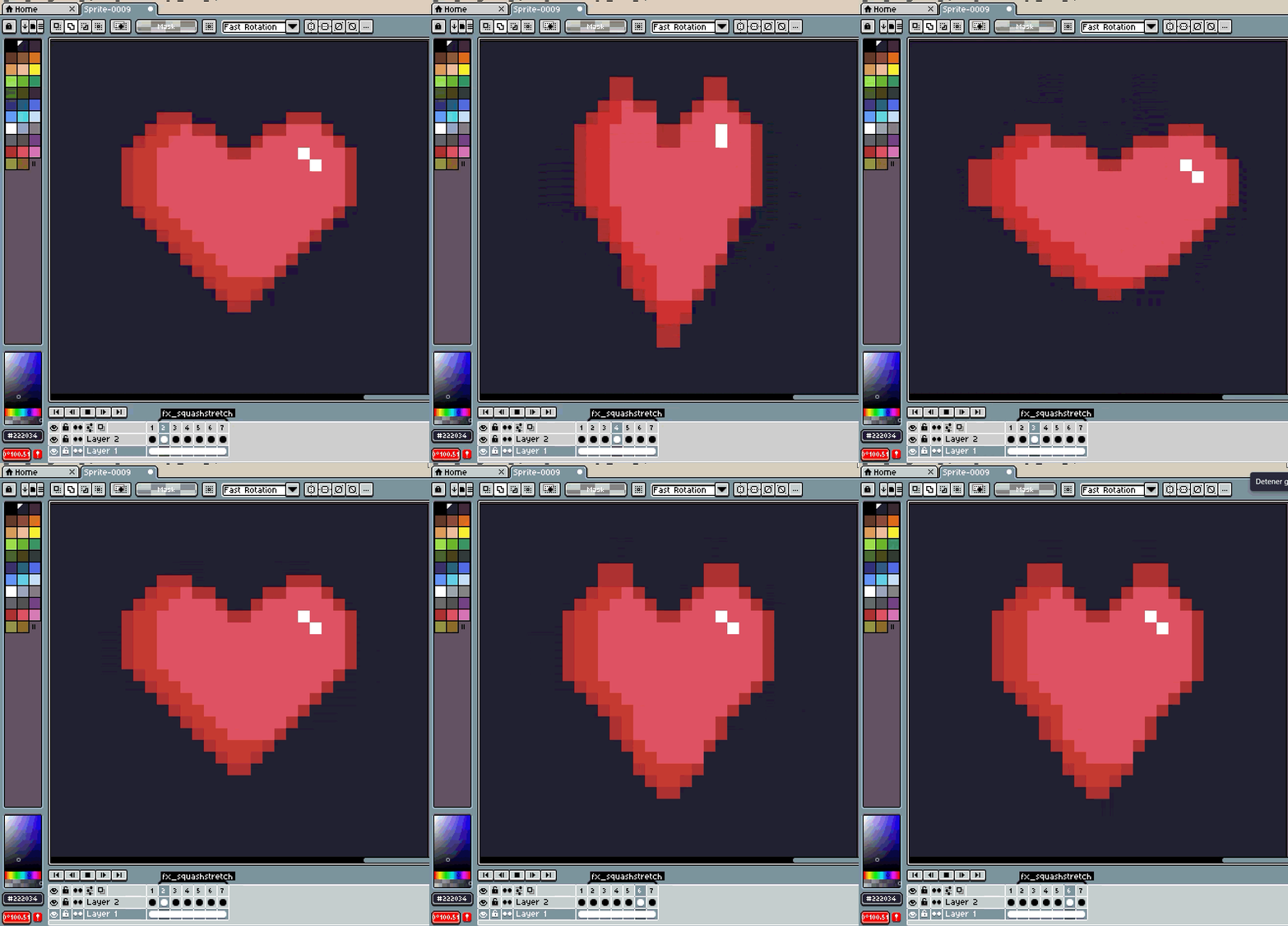
Shake
Controlled random vibration with optional decay. Damage reactions, explosions, earthquakes, buzzing machines, nervous characters — set the intensity and let it rattle. Decay mode starts strong and settles to stillness, perfect for impact reactions.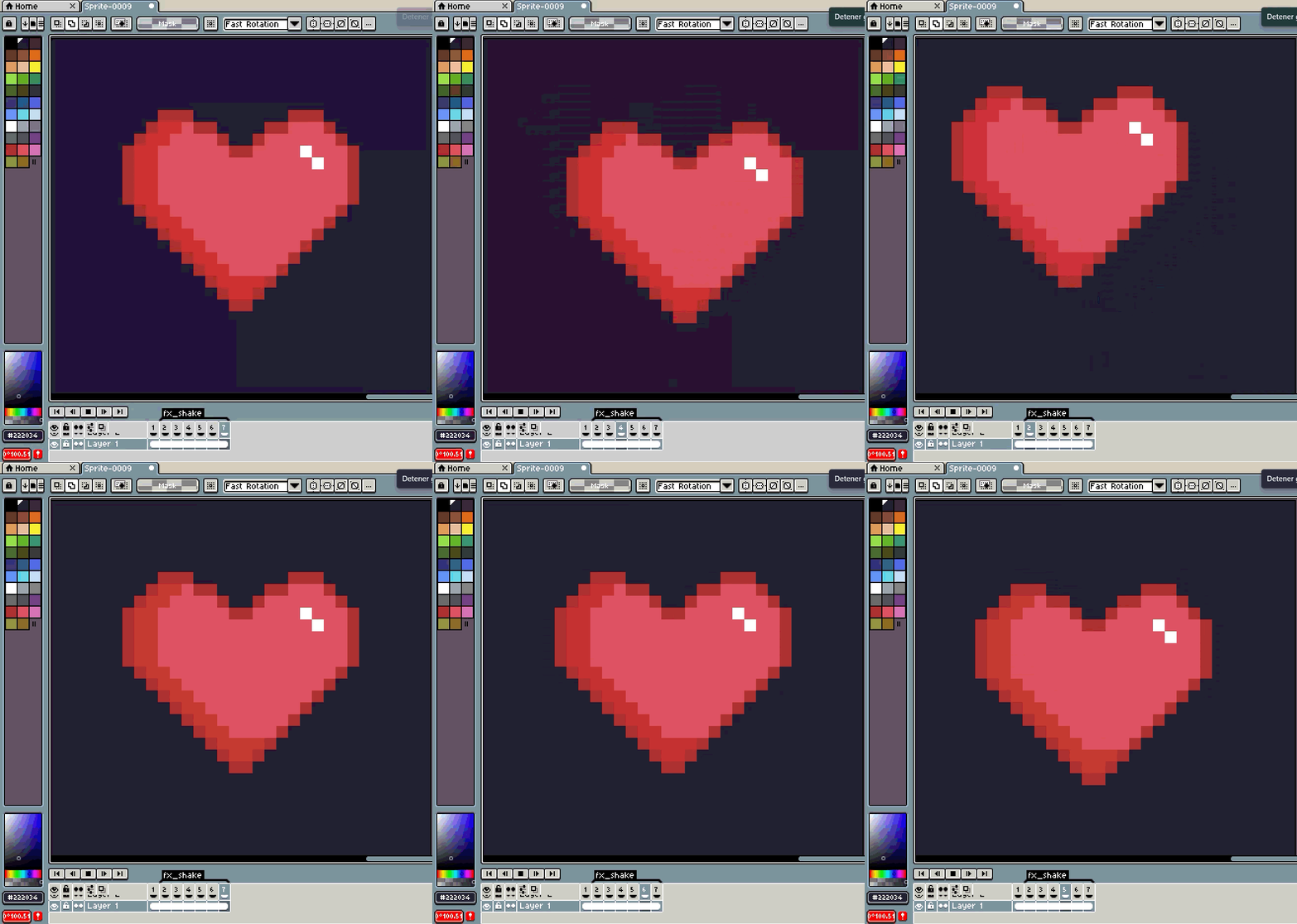
🎨 COLOR EFFECTS
Hit Flash
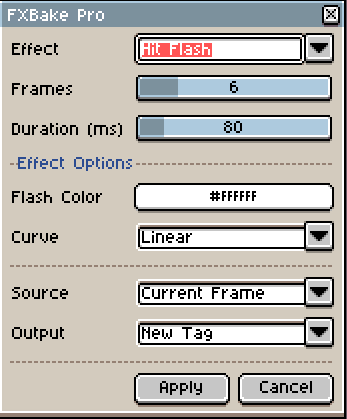
The classic damage indicator. Your sprite flashes a solid color (white, red, any color you pick) and fades back to normal over N frames. Linear or Ease-Out curve. Every game needs this — now it's one click instead of duplicating and recoloring frames by hand.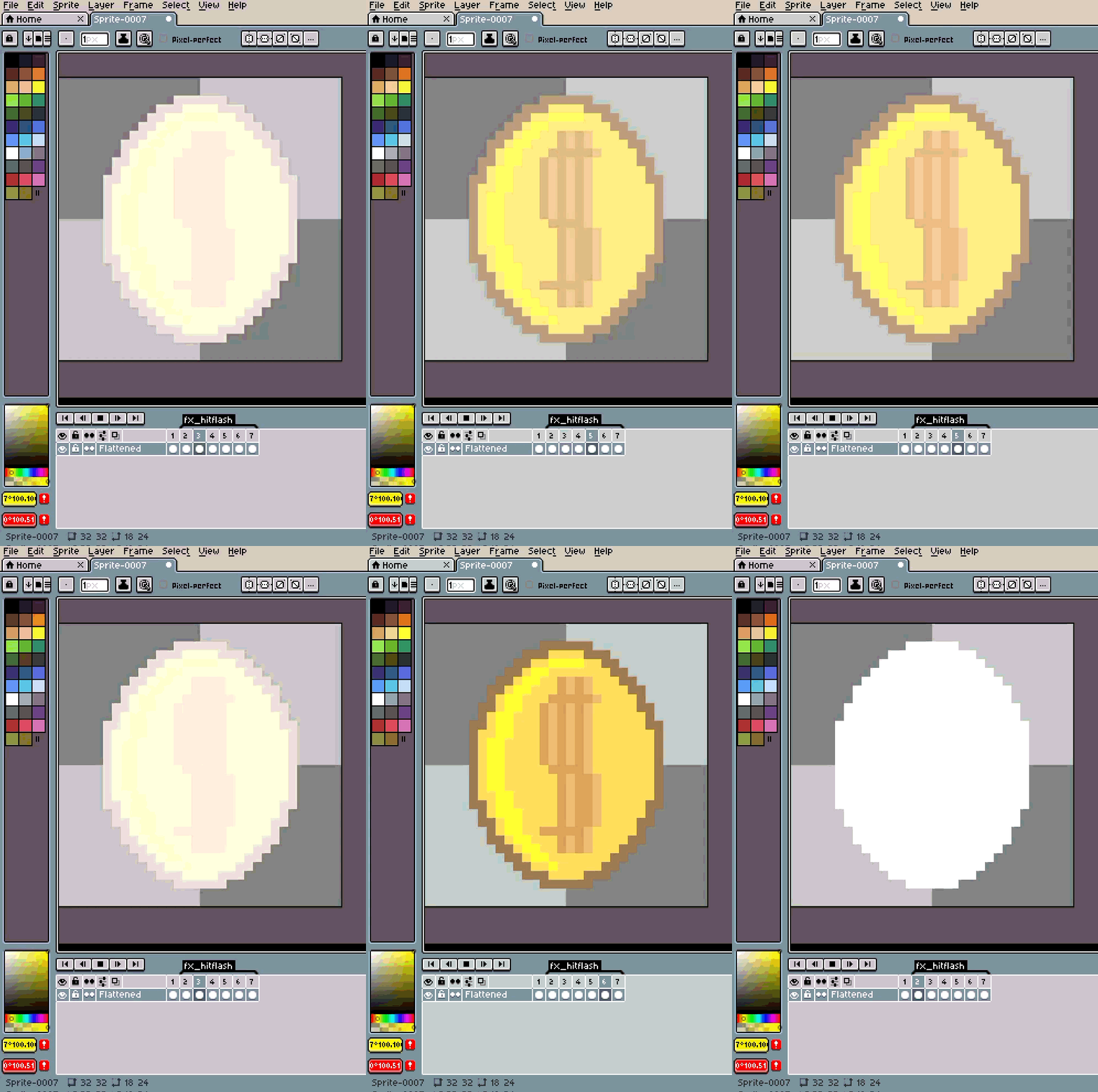
Dissolve
Pixel-by-pixel disappearance in three patterns: Random scatter, Top-Down wipe, or Left-Right reveal. Death animations, teleportation, materialization effects, magic spells. Seeded randomness means you get the same result every time — or change the seed for a different pattern.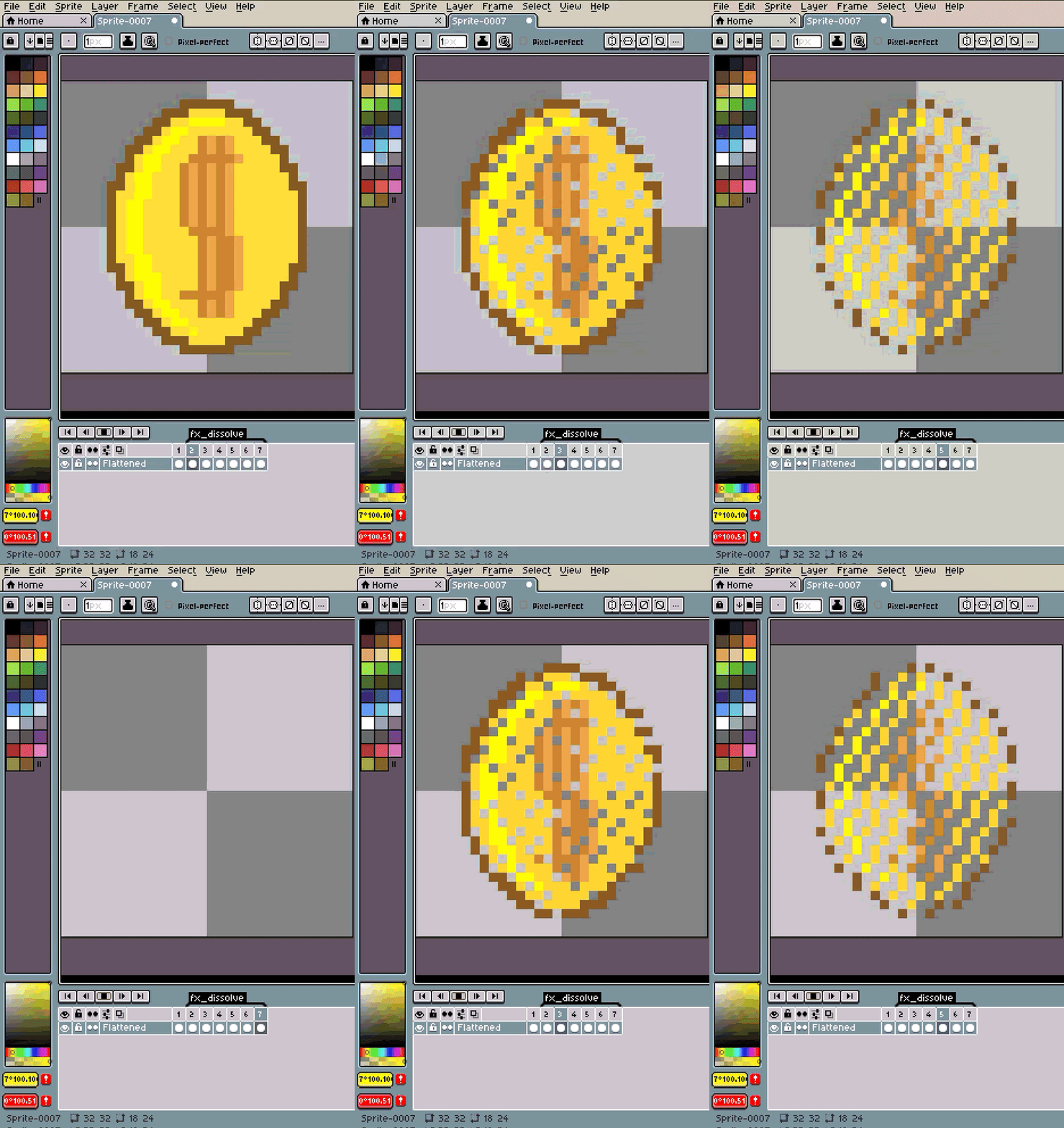
Color Shift
Hue rotation that cycles your sprite through the color spectrum. Magical auras, poison effects, rainbow pickups, elemental transitions. Shift the full 360° or just a subtle range. Optional saturation shift for extra intensity.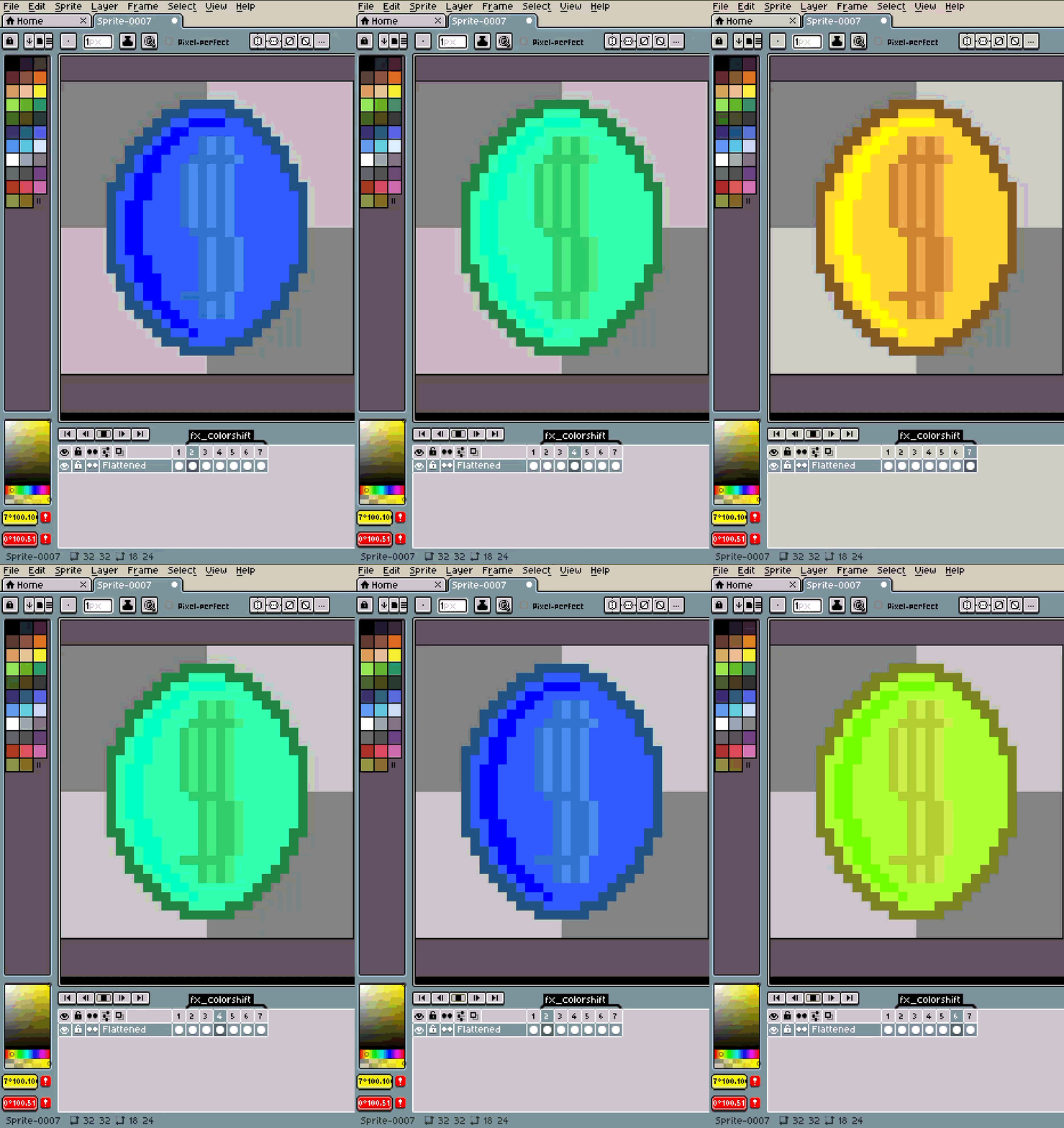
Silhouette
Smooth transition from a solid color to your original sprite. Dramatic character reveals, shadow-to-color introductions, stealth-to-visible transitions. Pick any silhouette color — classic black, ominous red, ghostly blue.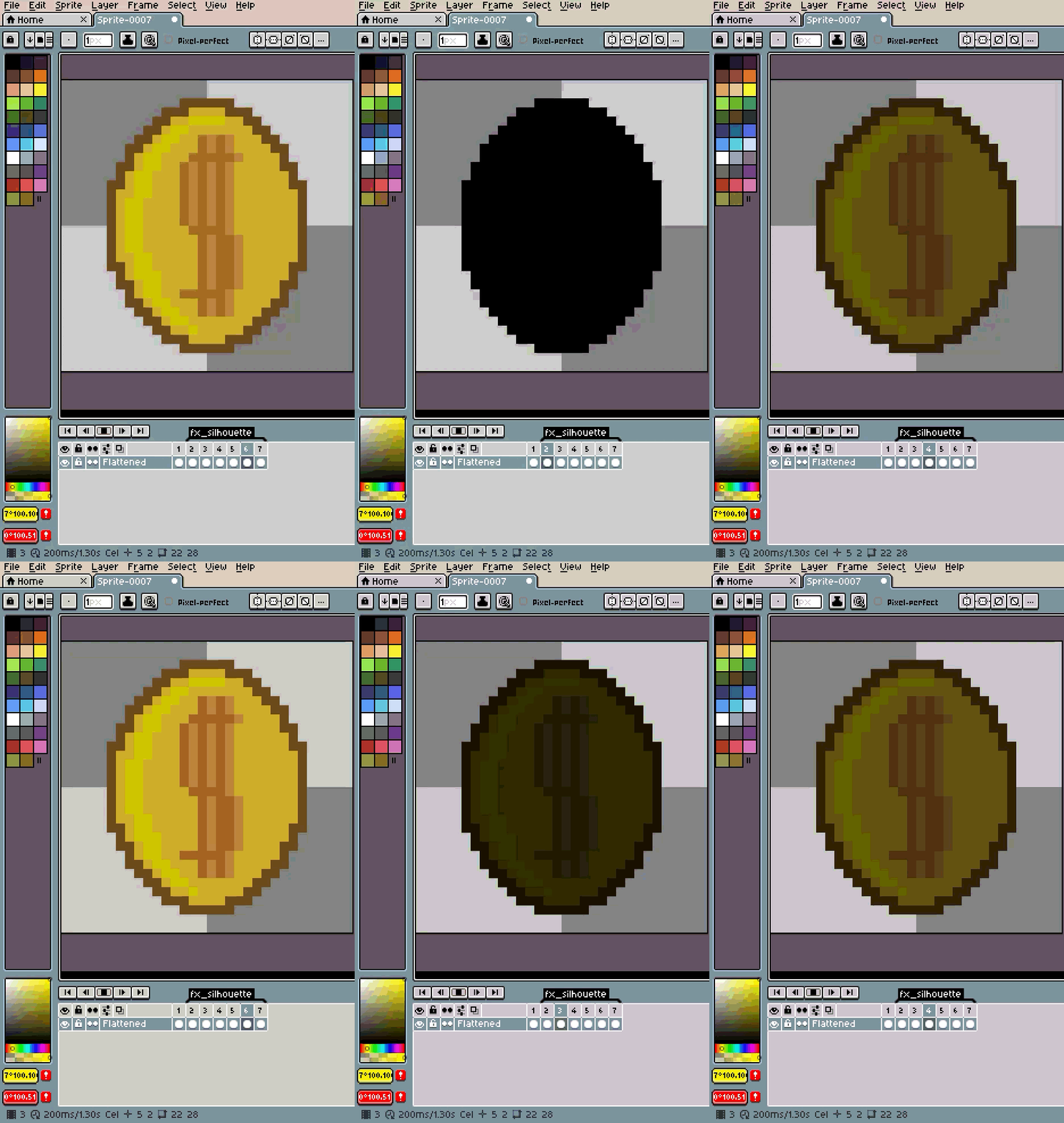
Fade
Alpha transition — In or Out. Spawning, despawning, ghost effects, scene transitions, UI element appearances. Simple, clean, essential.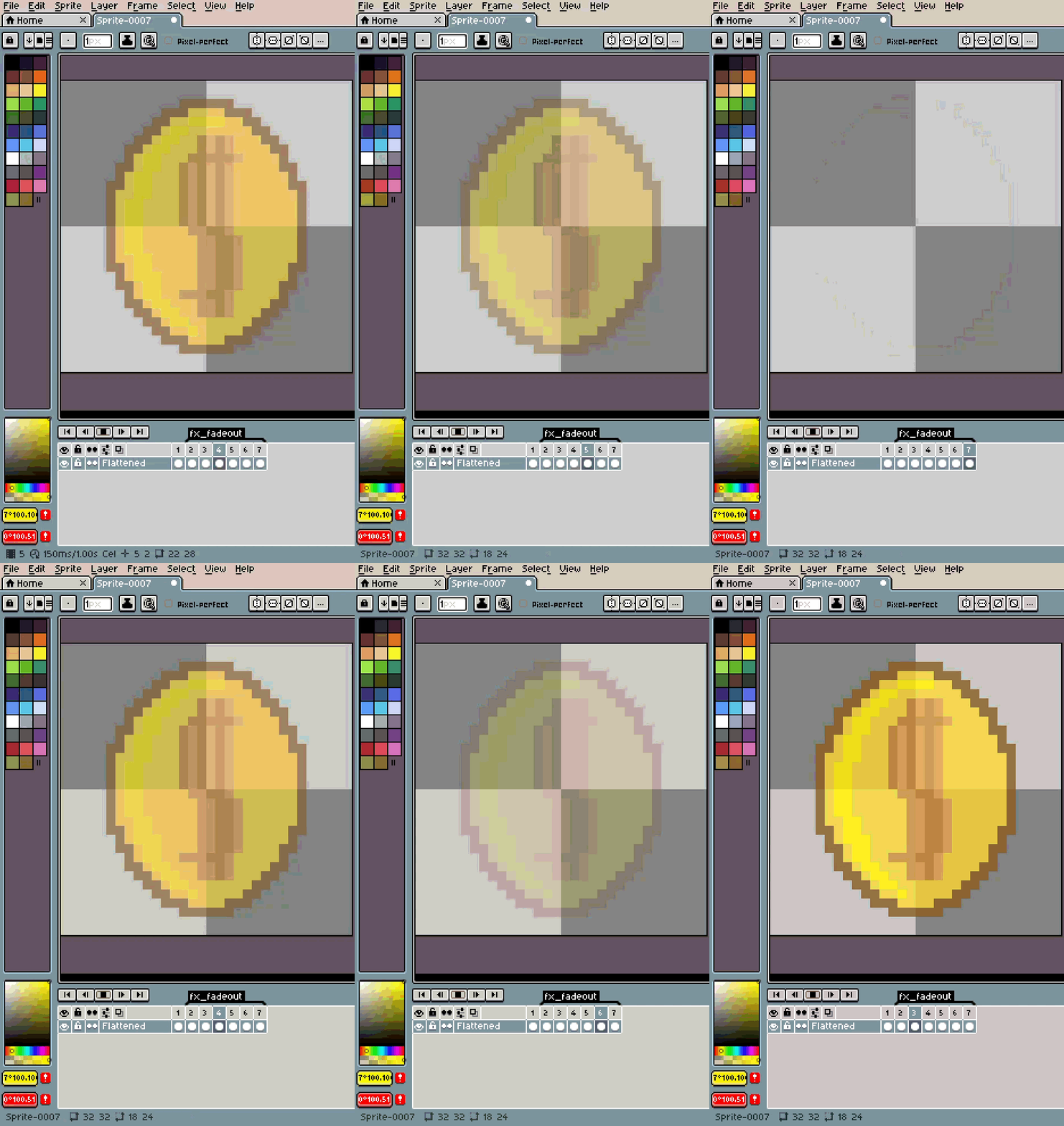
✦ Every Effect Includes
- Frame count control — 2 to 24 frames per effect
- Duration control — 30ms to 500ms per frame
- Auto-tagging — each effect gets its own animation tag
- Source options — apply to current frame or all frames at once
- Output modes — insert as new tagged frames or replace the source
✦ How It Works
- Select your sprite layer
- Go to Edit → FXBake Pro
- Pick an effect, adjust parameters
- Click Apply
- Your animation frames are baked — play them instantly
✦ Who Is This For?
- Game devs who need hit flashes, idle animations, and death effects across dozens of sprites
- Pixel artists tired of manually rotating objects frame by frame
- Anyone who has ever spent 20 minutes making a coin spin and thought "there has to be a faster way"
There is. This is it.
✦ Installation
- Download the
.aseprite-extensionfile - Double-click it — Aseprite installs it automatically
- Find it under Edit → FXBake Pro
Requires Aseprite v1.3 or newer. RGB color mode.
✦ What You Get
| 📦 | FXBake Pro.aseprite-extension | Ready-to-install extension (all 10 effects included) |
Made by Deer Rock Studios
This product may have bugs; we are improving every day and your feedback would help us. That said, we are not responsible for misuse and do not offer refunds.
Purchase
In order to download this tool you must purchase it at or above the minimum price of $3.60 USD. You will get access to the following files:
Leave a comment
Log in with itch.io to leave a comment.